Fieldfare doesn't connect to Wise or PayPal directly. Instead, you tell it what each provider charges, and it estimates the fee on every payment. This is maths, not an API integration, which means it works with any provider in any country.
The 4 defaults
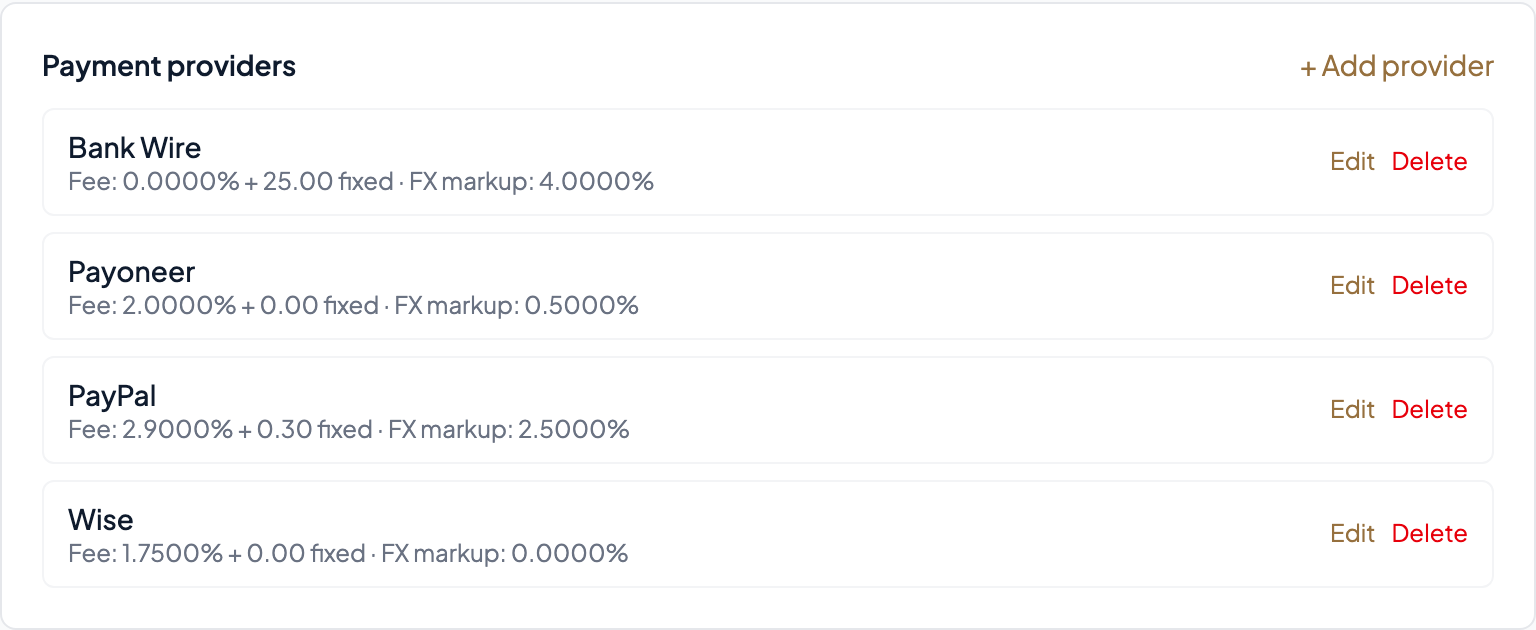
Fieldfare comes pre-configured with four common providers:
- Wise — Low percentage fee (~0.5–1.75%), no fixed fee, mid-market exchange rate (0% markup). The cheapest option for most currency pairs.
- Payoneer — Moderate percentage fee (~2%), small fixed fee, some FX markup. Common for freelance platforms like Fiverr and Upwork.
- PayPal — Higher percentage fee (~3.5%), small fixed fee, significant FX markup (~2.5–3%). Convenient but expensive for large amounts.
- Bank Wire — No percentage fee, higher fixed fee (~$25), variable FX markup. Better for very large payments where the fixed fee is proportionally small.
These are reasonable starting points, but you should adjust them to match your actual rates. They vary by country, account type, and currency pair.
Fee structure fields
Each provider has three numbers that Fieldfare uses to estimate fees:
- Percentage fee — The % taken on each transfer. This scales with the payment amount. Wise charges ~0.5–1.75%, PayPal charges ~2.9–3.5%.
- Fixed fee per transaction — A flat amount per transfer, regardless of size. PayPal charges ~$0.30. Wise charges $0 for most currencies. Bank wires typically charge $15–25.
- FX markup — The % your provider adds on top of the mid-market exchange rate. This is often the biggest hidden cost. Wise uses the mid-market rate (0% markup). PayPal adds ~2.5–3% on top. Most people don't even know this fee exists.
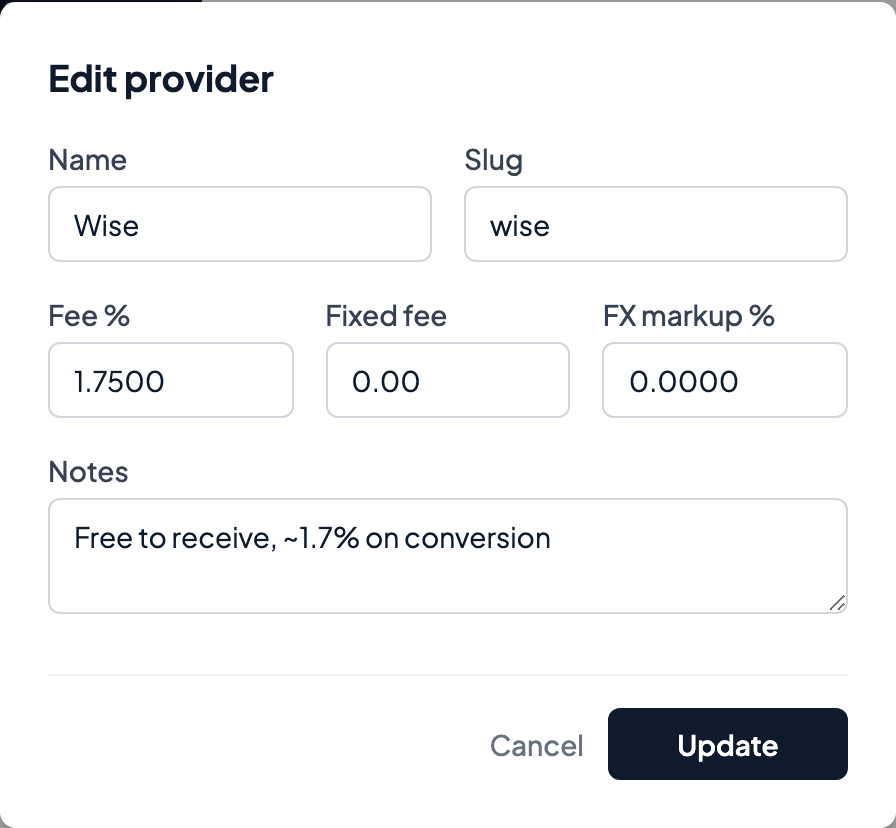
Adding a custom provider
Click Add provider in Settings. Enter the provider name and its fee structure. This is useful if you receive payments through a local bank transfer system (UPI, SEPA, Pix), a regional provider, or any service not in the defaults.
Providers vs payment methods
Providers in this screen are used for fee estimation and comparison — they answer "how much does each option cost me?". Separately, under Settings → Payment methods, you configure the actual accounts clients should pay into (a bank account in a given country, or a service like Wise/PayPal). Those payment methods appear on your invoice PDFs so clients know where to send money.
On Pro, payment methods can be scoped to specific currencies, so a USD invoice shows your USD account and a GBP invoice shows your GBP account automatically. On Free, every method shows on every invoice.
How the comparison works
When you record a payment, Fieldfare applies a simple formula: (amount × percentage fee) + fixed fee + (amount × FX markup). The result is the estimated cost of that payment through that provider.
The Dashboard then aggregates these estimates across all your payments to show a side-by-side comparison.
Example: On a $5,000 invoice, here's what each provider roughly costs:
- Wise: $25 in fees + $0 markup = ~$25 total
- Payoneer: $100 in fees + $50 markup = ~$150 total
- PayPal: $175 in fees + $150 markup = ~$325 total
- Bank Wire: $0 percentage + $25 fixed + $100 markup = ~$125 total
That's a $300 difference between PayPal and Wise on a single payment. Over 12 months of freelancing, the savings from switching to a cheaper provider can be substantial.
A note on accuracy
Provider fees vary per transaction, per currency pair, and per payment method. The estimates Fieldfare shows are based on your configured fee structure, not the exact fee on each individual transaction. When you record a payment, you can always override the estimate with the actual amount from your provider's transaction detail.
The goal isn't penny-perfect accounting. It's visibility: knowing roughly what each provider costs so you can make better decisions about how you receive payments.